
Home Assistant 2025.12 Final Update Of The Year
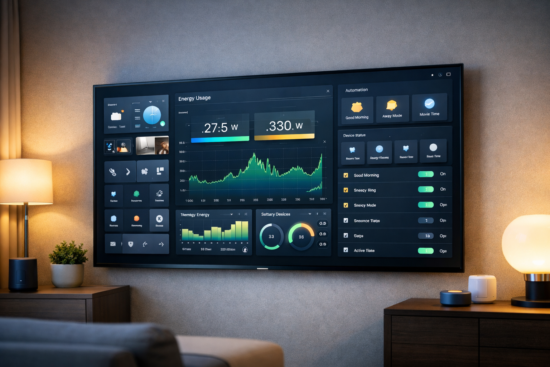
Home Assistant wraps up the year with its December 2025 release, delivering a polished set of improvements that focus on ease of use, smarter automations, and deeper energy insights. This update doesn’t just add new features it refines how users interact with their smart homes on a daily basis.
From early-access experimental tools to real-time power monitoring and redesigned dashboards, this release is packed with meaningful upgrades for both newcomers and advanced users.
Below is a fully rewritten overview of what’s new in Home Assistant December 2025.
Home Assistant Labs: Early Access Without the Risk
One of the most important additions in this release is Home Assistant Labs. Unlike traditional beta programs, Labs lets you selectively enable experimental features that are stable enough for everyday use but still under active development.
Why Home Assistant Labs Matters
- Try upcoming features before they’re officially released
- Enable only the features you want no all or nothing approach
- Easily turn features on or off at any time
- Perfect for curious users who enjoy testing new ideas early
How to enable Labs:
Settings → System → Labs → Enable individual features
The first feature available through Labs is a redesigned automation experience called Intuitive Triggers, Conditions & Actions.
A Smarter Automation Editor Experience
With Labs enabled, the automation editor receives a major usability upgrade built around a targets-based layout.
What’s Changed
- Floors and areas now appear at the top for quick navigation
- Devices are grouped by room and area
- Triggers, conditions, and actions are visually organized
- Helpers, labels, and unassigned entities are separated clearly
- Search remains available for fast access
- The classic automation editor is still accessible at any time
This new structure is especially helpful for beginners, making automation creation more intuitive and less overwhelming. Advanced users may need a short adjustment period, but the workflow is cleaner and more logical overall.
Dashboard and Interface Enhancements
The December 2025 update introduces several improvements that make dashboards more flexible and easier to manage.
System-Wide Default Dashboard
Admins can now assign a default dashboard for all users:
Settings → Dashboards → Menu (⋯) → Set as Default
User-Specific Dashboard Selection
Individual users can override the default dashboard from their profile settings. This is ideal for:
- Wall-mounted tablets
- Children’s dashboards
- Guest access
- Dedicated control panels
Live Electricity Usage Tracking
The Energy Dashboard now supports real-time power monitoring, allowing you to:
- See electricity usage as it happens
- Detect abnormal power spikes instantly
- Identify energy-hungry devices
- Improve energy efficiency through better insights
Device-Level Water Consumption
Water tracking has also been expanded. You can now:
- Monitor water usage per device (washing machines, irrigation, etc.)
- View water data directly in the Energy Dashboard
- Use a new sand-style key card for clearer visualization
Better Organization with Floors and Areas
Managing your home layout is now much easier:
- Drag and drop floors to reorder them
- Rearrange areas without manual editing
- Move rooms between floors instantly
These changes are reflected throughout the interface, including the Home Dashboard sidebar.
Home Dashboard Sidebar
The Home Dashboard now includes a sidebar for quick navigation between floors and areas. The order matches your custom layout, making navigation faster and more intuitive.
The Home Dashboard is now fully released, and the older Areas Dashboard has been officially retired.
AI Conversation Debugging Tools
For users leveraging AI-based voice and conversation features, a new debugging interface is available.
You can inspect:
- System prompts
- Tools used by the AI
- Decision-making steps
- Full conversation traces
Location:
Settings → Voice → Debug (inside any conversation pipeline)
This is especially useful for fine-tuning custom voice assistants and advanced AI automations.
Additional Improvements Worth Noting
Dashboard Editor Undo & Redo
You can now undo and redo changes while editing dashboards—a small but highly requested quality-of-life improvement.
Updated OpenAI Integration
Support for GPT‑5.1 models has been added, enabling more advanced and capable AI-powered automations.
New Template Math Functions
Three new functions give template users more control:
- clamp
- wrap
- remap
These are useful for precise value handling in advanced templates.
Anthropic Integration Enhancements
Anthropic now supports AI tasks, expanding options for voice assistants and automation logic.
Reolink Camera Updates
Reolink camera users gain access to:
- Exposure mode adjustments
- Noise reduction controls
New Integrations in December 2025
This release introduces 11 new integrations, covering:
- Weather services
- Air quality monitoring
- Sauna controllers
- Pool systems
- Storage and warehouse sensors
- Additional smart home devices
One existing integration has also transitioned from YAML-based configuration to a fully UI-based setup.
Breaking Changes
Breaking changes are minimal in this release. While users should always review the release notes before upgrading, no major disruptions are expected for most setups.
Final Verdict
The December 2025 Home Assistant release focuses on refinement rather than radical change—and that’s a good thing. With Home Assistant Labs, smarter automations, real-time energy insights, and cleaner dashboards, the platform continues moving toward a more user-friendly and powerful smart home experience.
Whether you’re upgrading now or planning ahead, this update delivers smoother workflows, better visibility, and more control over your connected home.
Frequently Asked Questions
What is Home Assistant December 2025?
It’s the final Home Assistant update of the year, introducing Labs, real-time energy tracking, dashboard upgrades, and automation improvements.
Is Home Assistant Labs required?
No. Labs is optional and allows you to selectively enable experimental features.
Can I go back to the old automation editor?
Yes. The new automation layout can be disabled at any time from the Labs menu.
Does this update remove features?
Only the old Areas Dashboard has been removed, replaced by the improved Home Dashboard.
Are breaking changes a concern?
No major breaking changes are expected in this release.