
How to Use AI Image Generators to Pitch Design Concepts to Clients
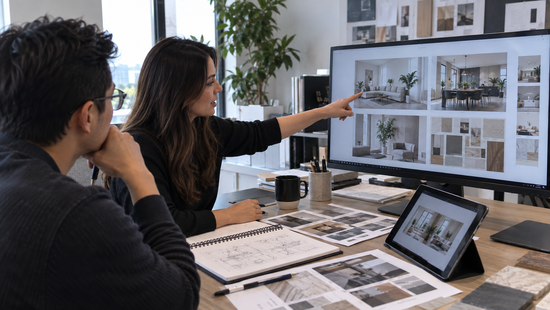
Clients rarely buy what they can’t see. A written proposal asks them to imagine the result. Imagination varies wildly from person to person.
AI image generators close that gap. In an afternoon, you can show a client five distinct directions instead of describing one. The conversation shifts from “What do you mean by warm?” to “I like this one, but warmer.”
This guide walks through a practical workflow using Magic Hour’s AI image generator. You’ll learn how to turn a brief into prompts, explore styles, refine favorites, and present concepts honestly. It also covers the licensing details that matter when the work is for a paying client.
Why AI visuals strengthen a pitch
Early concept work is expensive. Every hour spent on a direction the client rejects is an hour you can’t bill. Fast visuals let you test taste before you commit to production.
They also expose misalignment early. A client who says “modern” might mean sleek glass or rustic minimalism. Two images settle that in seconds.
Step 1: Turn the brief into a prompt
Start with the brief, not the tool. Pull out five details: subject, setting, mood, lighting, and style. Magic Hour’s own guidance recommends a similar structure of subject, setting, lighting, style, and quality.
A strong first prompt might read: “Boutique coffee roastery interior, warm oak shelving, soft morning light, minimalist Scandinavian style, photorealistic.”
Then add client-specific constraints. Include brand colors, the target audience, and anything to avoid. Save every prompt that works, because you can reuse the structure on future briefs.
Step 2: Generate range, not one answer
Resist polishing the first decent result. Clients need to choose, and choice needs contrast. Aim for three to five genuinely different directions, such as minimal, bold, and warm.
Magic Hour lets you compare outputs from several models side by side. Its library includes Nano Banana Pro, GPT Image 2, and Flux 2 Klein, among others. Models interpret the same prompt differently, so a quick comparison shows which suits the brief, though availability varies by plan.
Presets give you a stylistic head start. The generator includes categories such as interior design, architecture, logos, landscapes, and book covers. Pick the one closest to your project, then adjust the prompt.
You can start without paying. Magic Hour offers 10 free images per day with no sign-up and no watermark. Free outputs are limited to personal use, though, so read Step 6 before using them in paid client work.
Step 3: Build a moodboard, not a pile of images
Single images are options. A moodboard is a point of view. Curate six to nine images into one board that shows mood, palette, texture, and composition together.
Consistency makes the board feel intentional. Magic Hour supports character and style consistency across multiple images, so recurring elements look like they belong together. You can also explore its Moodboards tool or assemble boards in your usual design software.
Give each board a one-line rationale. For example: “Calm and tactile, built around natural materials.” That sentence tells the client what to look for.
Step 4: Refine the favorites
Once the client picks a direction, tighten it. Start from a reference instead of a blank prompt. Magic Hour supports text-to-image, image-to-image, and multi-image reference editing to guide composition and style.
A client’s existing product photo or your own rough sketch works well as a starting point. The output keeps your structure while exploring new looks. That makes the result feel like their project rather than a generic render.
Small changes belong in the AI image editor. Swap a color, remove a distraction, or adjust the mood. When you’re ready for the deck, the AI image upscaler can raise resolution up to 4K.
Step 5: Present concepts, not finished work
Frame every image as a direction, not a deliverable. Build one slide per concept: the image, a one-sentence rationale, and a note on what changes in production. That last note keeps expectations realistic.
Ask better questions in the room. “Which of these feels closest to your brand?” beats “Which picture do you like?” It steers feedback toward strategy instead of taste alone.
Motion can strengthen a campaign pitch. Magic Hour’s storyboard generator creates multi-image sequences with consistent characters. Its image-to-video tool can animate a hero frame into a short teaser.
AI images can contain odd details or impossible geometry, so be candid about limits. Magic Hour notes the tool may struggle with abstract or contradictory prompts. Tell clients the final work will be built and refined by you.
Step 6: Handle rights and disclosure
Check licensing before anything reaches a client. Magic Hour states that paid subscriptions and credit packs include commercial-use rights. Outputs created without either are for personal, non-commercial use.
You remain responsible for the rights to your uploads, faces, and brand material. Magic Hour also says it does not use your uploads or outputs to train its models. That matters when a brief is confidential.
Copyright is a separate question. The U.S. Copyright Office’s January 2025 report said human modifications or creative arrangements of AI output can be protected. Prompts alone cannot, because they don’t give users enough control over the output, as the Library of Congress summarizes.
In practice, the final hero assets should carry real human craft. Disclose AI use in your proposal and confirm ownership terms in your contract. This isn’t legal advice, so consult a lawyer on high-stakes projects.
A sample pitch flow
Imagine a freelance brand designer pitching a café rebrand. On Monday, she writes prompts from the brief and generates three directions: rustic, minimal, and playful. She compares two models and keeps the strongest set.
By Tuesday, she has one moodboard per direction, each with a one-line rationale. She upscales the hero images and drops them into a five-slide deck. The client picks the minimal direction and asks for a warmer palette.
That request costs one more prompt, not a new round of sketches. The designer then moves into real production with a clear, approved target.
Common mistakes to avoid
- Showing too many options. More than five directions overwhelms clients and slows decisions.
- Presenting AI images as final art. Position them as concepts, then earn the production budget.
- Skipping the human pass. Retouch, correct, and art-direct before anything goes in a deck.
- Ignoring licensing. Confirm commercial rights before client work leaves your desk.
Conclusion: Pitch with pictures, deliver with craft
AI image generators don’t replace your design judgment. They let you show it earlier.
The workflow is simple. Translate the brief, generate range, curate a moodboard, and refine favorites. Then present honestly and sort out rights.
Done well, you’ll spend less time defending abstract ideas and more time refining the ones clients already believe in. Approval comes faster because everyone is reacting to the same picture.
Ready to try it on your next brief? Open Magic Hour’s AI image generator, write your first prompt, and see how many directions you can explore before lunch. No sign-up is needed to start.