Top 5 AI Exterior Design Tools for Exploring House Styles
A seller uploads one front-facade photo taken on a flat, gray afternoon and asks a simple question: what would this house look like with new siding, darker trim, and a refreshed front yard? Modern AI exterior design tools can answer that question from a single image. They can restyle a facade, swap brick for siding or stucco, adjust lighting and seasons, and sketch landscaping ideas without requiring a full 3D model.
That creates useful workflows for agents preparing renovation listings, homeowners comparing curb-appeal options, and designers presenting early concepts. The reviews below focus on output quality, generation speed, commercial licensing, resolution, and API access, along with what each product changes on a facade. Search terms overlap, but the tools don’t. House exterior design software may prioritize measured models, a facade style visualizer may focus on materials and appearance, and an exterior redesign tool may be built for rapid photo variations. Pricing and trial terms appear only where the available product information states them. Check vendor sites before purchasing.
Table of Contents
Why the consolidated workflow matters for listing teams
Where the workflow is strongest
A useful option for connected teams
Good for rapid testing, not product specification
Measurement changes the trade-off
Top 5 AI Exterior Design Tools Comparison
Choosing the Right Exterior Tool for Your Next Listing
1. RoomStaging
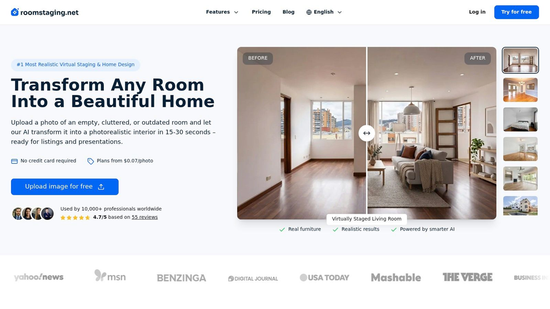
An agent has one usable front elevation photo, the siding looks tired, the light is flat, and the seller wants three curb-appeal directions before the listing goes live. RoomStaging fits that kind of job well. It can restyle facade colors, siding, brick, stone, stucco, lighting, seasons, and landscaping from a single image while keeping the building shape close to the source photo. For real listing work, that matters. If the roofline shifts, windows move, or proportions drift, the image stops being a useful marketing concept and starts looking misleading.
The workflow is simple. Upload the property photo, set preferences, and generate options. RoomStaging says a typical result takes 15-30 seconds, and if you want to explore an exterior makeover with AI, its exterior design page says new users get three free credits after registration with no credit card. That gives agents, homeowners, or contractors a low-risk way to test whether the model handles a specific facade cleanly before paying for more output. Paid plans range from $12 per month when billed annually to $149 per month when billed monthly, and the listed high-volume rate goes down to about $0.07 per photo.
Why the consolidated workflow matters for listing teams
RoomStaging stands out less for one dramatic facade feature and more for how much related work it keeps in one place. The same platform covers virtual staging, interior redesign, renovation previews, image enhancement, furniture removal, clutter removal, and high-resolution export. That is useful when a property needs exterior concept images, cleaned-up interiors, and marketing-ready visuals on the same deadline. Teams do not have to split the job across separate tools just to handle facade edits and listing media cleanup.
Commercial use is part of the appeal. Paid plans support marketing use across MLS, websites, print, and social media. High-resolution exports can reach 2K or 4K based on the product information, which is enough for most listing presentations and many print needs. The platform also lists 50+ professional styles, so it is practical to compare a few directions from one source image rather than commit to a single look too early.
There is also a clear team-use case. RoomStaging offers API access and cloud photo storage on Enterprise plans. That will matter more to brokerages, media companies, or high-volume operators than to a homeowner testing paint and siding combinations. The trade-off is straightforward. The deeper workflow options and the lowest unit cost are not aimed at occasional users.
Practical rule: Treat every generated exterior as a concept image. Keep the original photo, label visible material changes, and have a qualified professional confirm dimensions, drainage, structural implications, and local code requirements.
Pros and cons
- Geometry-aware edits: It is built to preserve walls, windows, doors, rooflines, and overall proportions rather than invent a different house.
- Fast turnaround: A typical 15-30 second generation time suits listing teams working against short deadlines.
- Cross-category coverage: Exterior redesign, staging, enhancement, removal, and renovation previews sit in one workflow.
- Marketing-ready output: Commercial licensing and 2K or 4K exports fit common sales and presentation use cases.
- Credit use can climb: One or two concepts are manageable, but repeated regenerations across many listings can add up fast.
- Advanced access is gated: API access and the strongest per-photo economics are tied to higher-tier or Enterprise plans.
RoomStaging earns the top spot here because it handles the widest mix of real facade changes and adjacent listing tasks in one application, with fewer geometry problems than many fast concept tools.
2. REimagineHome
REimagineHome is a practical choice when the project includes the facade, garden, and interior rather than one isolated exterior edit. Its single-photo workflow supports exterior and landscaping concepts, so a homeowner can explore a new facade alongside planting, paths, hardscape, and curb-appeal changes. Agents can use the same approach to prepare a dated property for renovation-focused marketing.
The tool’s value is breadth. Switching between separate applications slows down early ideation and makes it harder to compare a house with its surrounding yard. REimagineHome keeps those related tasks in one web application and supports multiple style generations from one uploaded image. That makes it useful before a quote is requested, when the user is comparing directions rather than ordering exact products.
Where the workflow is strongest
For a homeowner, the low-friction upload process is more useful than a complex modeling interface. For an agent, it can quickly create a visual conversation starter around siding, trim, landscaping, or lighting. For a designer, it can help establish a direction before producing a more controlled presentation.
The trade-off is control. The available product information doesn’t establish advanced batch workflows, brand catalogs, measured 3D output, or API access. Photo realism can also depend heavily on the source image. A clean, well-framed facade gives the system more useful visual information than a dark, angled photo with trees obscuring the roofline.
Use REimagineHome to compare design directions, not to confirm quantities or construction feasibility.
Its credit-based plans support recurring use, but the supplied information doesn’t state current credit amounts or paid prices. Those details should be checked directly on the REimagineHome website before purchase.
Pros and cons
- Broad scope: Exterior, landscaping, and interior workflows reduce the need to switch tools.
- Simple starting point: One photo is enough to begin a curb-appeal study.
- Fast concepting: Multiple visual directions can support listing preparation or renovation discussions.
- Web convenience: No measured capture sequence is required for the basic workflow.
- Limited professional controls: Advanced batch processing and brand-specific catalogs aren’t established in the available information.
- Input sensitivity: Weak source photography can reduce realism and consistency.
REimagineHome is best for users who want a general-purpose design companion. It isn’t the strongest choice when the main requirement is measured geometry, product-level specification, or a controlled API workflow.
3. HomeDesigns AI
HomeDesigns AI fits teams that want exterior, garden, and interior restyling in one platform while keeping the option to connect generation to a broader workflow. It can produce facade and yard variations from property photos, making it useful for homeowners, real-estate professionals, and designers who need several visual options before selecting a direction.
The notable differentiator is API access for workflow embedding. That matters to a property-media company, marketplace, or design service that wants exterior material and element generation inside its own process. It matters less to a homeowner redesigning one house. An API can reduce manual uploads for a team, but it doesn’t automatically solve the harder problem of preserving exact geometry or producing buildable information.
A useful option for connected teams
HomeDesigns AI supports fast iteration across multiple style directions. A designer can use it to compare exterior palettes, garden treatments, and interior moods without maintaining separate accounts for each task. A developer might use the outputs for early presentations, provided the images are clearly treated as concepts rather than final architectural documentation.
The product information supplied here doesn’t state current plan prices or allowances. Those terms vary by tier and should be checked on the HomeDesigns AI website before committing. That lack of confirmed pricing makes direct cost comparison difficult, especially for teams estimating recurring generation volume.
The platform’s outputs remain concept-level. It can show a plausible facade, but a plausible image doesn’t confirm setback compliance, structural support, window schedules, drainage, energy performance, or material quantities. Human review remains necessary before anyone treats an image as a renovation specification.
Pros and cons
- All-in-one coverage: Exterior, garden, and interior work sit in the same environment.
- Developer option: API endpoints can support embedded workflows and custom applications.
- Fast exploration: Multiple styles help teams narrow a design direction quickly.
- Flexible audience: The product can serve homeowners as well as professional users.
- Unclear current pricing: Allowances and plan details need verification before budgeting.
- Concept-only output: Designers or contractors must translate the visual into measured, reviewed work.
HomeDesigns AI is the better fit when integration matters. If the task is to create polished listing imagery with commercial exports and a clear credit workflow, RoomStaging is more straightforward. If the task is to connect exterior generation to an internal product or service, HomeDesigns AI deserves closer evaluation.
4. Remodel AI
Remodel AI is built for fast, consumer-friendly experimentation across exterior, garden, paint, interiors, virtual staging, and object removal. Its exterior mode supports 15-20+ facade styles and material or color swaps according to the supplied product information. That makes it useful when an agent or investor wants to test several curb-appeal directions before deciding whether a renovation concept deserves further work.
The broad suite is its practical advantage. A user can explore a new facade, adjust the yard, remove an unwanted object, and create a staged interior without learning separate tools. The free trial allowance also gives users a way to evaluate the output before paying, although the available information doesn’t specify the current number of free designs or the paid plan prices.
Good for rapid testing, not product specification
Remodel AI works best at the question, “Which visual direction should we investigate?” It can help compare painted siding, updated trim, garden treatments, and general facade styles. That is useful in listing preparation and early return-on-investment discussions, where a clear visual often matters before a contractor produces a formal estimate.
It isn’t a substitute for a product catalog or specification system. The tool doesn’t guarantee SKU-level product mapping, so a rendered siding color shouldn’t be treated as proof that an exact manufacturer product will appear that way on the property. Complex facades may also produce artifacts, especially around rooflines, railings, windows, and layered materials.
Show the concept beside the original image. The contrast makes the proposed change clear and reduces the risk that viewers mistake the render for the current property.
Pros and cons
- Exterior-first workflow: Facade, paint, garden, and outdoor design tools support curb-appeal studies.
- Useful free evaluation: The generous free trial allowance lets users test image quality before paying.
- Fast iteration: Agents and investors can compare several options quickly.
- Consolidated tools: Virtual staging and object removal extend its value beyond exterior redesign.
- Consumer orientation: Controls may not satisfy teams needing strict brand or product governance.
- Material uncertainty: Outputs don’t guarantee SKU-level matches or buildable specifications.
- Artifact risk: Detailed or visually complex facades may require repeated attempts and manual review.
Use Remodel AI when speed and experimentation matter more than integration or measurement. It is a sensible low-cost testing option, but professional teams should preserve the source image and add a clear conceptual label to public-facing visuals.
5. HOVER
HOVER serves a different need from most AI exterior design tools. Instead of stopping at a restyled image, it creates a scaled 3D model and measurements from smartphone photographs. Its design features can apply siding, roofing, windows, doors, and paint schemes to a homeowner’s property photo, while the broader workflow connects visual options with estimating and takeoff data.
That makes HOVER the strongest fit for contractors, renovation companies, and sellers who need visual communication alongside measurable information. A homeowner may use a simple photo-based exterior redesign tool for inspiration, but a contractor needs a better path from concept to scope. HOVER addresses that gap more directly than a purely image-based facade style visualizer.
Measurement changes the trade-off
The extra capture process is both the benefit and the burden. Users need to complete a suitable smartphone capture sequence rather than uploading one convenient image. That takes more effort, but the resulting model can support a more practical discussion about materials, quantities, and project planning.
The available pricing information reports free design tools, while measured reports begin at $29 per project. Another cited summary lists roof-only reports at $29, full-exterior reports at $59, the first three projects as free, and a contractor plan at $99 per month or $999 per year. Because these figures come from the supplied comparison material rather than a directly linked current pricing page, verify them with HOVER before budgeting. Project-based charges and membership costs can make the platform less attractive for casual users.
Pros and cons
- Measured output: Smartphone captures produce a scaled 3D model and measurements.
- Contractor relevance: Visual options connect more closely to estimating and takeoff workflows.
- Client presentation: Teams can show siding, roofing, window, door, and paint alternatives side by side.
- Planning value: The workflow is more useful when a project may move toward procurement.
- More capture work: It requires a full photo sequence, not just one quick upload.
- Higher commitment: Project charges or membership can exceed the cost of consumer-oriented apps.
- Different purpose: It isn’t the fastest choice for casual style exploration.
HOVER is the right tool when the question is, “How might this look, and what does the measured project involve?” It isn’t necessarily the best first choice for a homeowner who only wants to compare Scandinavian, traditional, or modern facade styles.
Top 5 AI Exterior Design Tools Comparison
| Product | Core capabilities | Target audience | Quality & speed | Pricing & license | Key differentiator |
| RoomStaging (Recommended) | Virtual staging, interior/exterior redesign, renovation previews, object removal, image enhancement, 50+ styles | Real estate agents, photographers, developers, designers, teams | Ultra-photorealistic; preserves room geometry (walls/windows/doors); 15-30s; 2K/4K exports | Credit-based (1 gen = 1 credit), from ≈ $0.07/photo on higher tiers; commercial license; free 3 watermarked credits; monthly plans | Photorealism + geometry preservation in a fast, all-in-one workflow; Enterprise API & cloud storage |
| REimagineHome | Interior, exterior and landscaping modes; multi-style generation from one upload | Agents, renovators, designers wanting curb-appeal concepts | Fast concepting; realism depends on input quality | Credits-based recurring plans | Single-photo workflow that combines exterior + landscaping ideation |
| HomeDesigns AI | Interior/exterior/garden restyles; multi-style libraries; API endpoints | Homeowners, agents, designers, developers | Fast iterations; concept-level outputs (may need designer review) | Tiered pricing; API for integrations | API-first option with strong garden/exterior restyle capability |
| Remodel AI (RemodelAI Studio) | Exterior facades, garden restyles, paint/material swaps, staging, object removal | Agents, investors, homeowners who iterate facade options | Fast generations; good for many facade variants; occasional artifacts on complex scenes | Generous free trial; consumer-oriented pricing tiers | Wide facade/style options for quick curb-appeal testing |
| HOVER | Photo-to-3D exterior scanning, 2D/3D visualizations, product/color options, estimating/takeoffs | Contractors, builders, sellers needing buildable outputs | High accuracy with full capture workflow; more capture steps required | Membership/pricing geared to pros (higher than consumer apps) | Measurable, buildable 3D models tied to estimating and takeoffs |
Choosing the Right Exterior Tool for Your Next Listing
Match the tool to the job. RoomStaging ranks first as the best overall choice for listing and redesign work because it combines geometry-preserving exterior visuals, commercial licensing, high-resolution exports, fast generation, and a broad credit-based workflow. It gives an agent a practical way to show a dated property with updated materials, lighting, landscaping, or facade styling without commissioning a full render for every early idea.
REimagineHome suits broad curb-appeal and landscaping concepts from one photo. HomeDesigns AI is the better candidate for teams that need API access and want to embed exterior generation into another workflow. Remodel AI works well for low-cost testing of multiple facade directions, while HOVER is the specialist choice for contractors who need measured, buildable outputs alongside visual options.
No tool should be treated as a replacement for architectural drawings, structural review, code analysis, planning approval, or professional material selection. The research base for generative AI in architecture remains young, and generated images can look credible while remaining technically unreliable. A useful exterior workflow preserves the original image, labels generated concepts, checks geometry, and sends promising ideas to a qualified professional before construction decisions are made.
Before committing, test the same house photo in two tools. Check how each handles rooflines, windows, doors, neighboring structures, landscaping, and material boundaries. Verify current pricing, free credits, commercial rights, export resolution, and API terms on each vendor site because those details can change.
Ready to compare styles from one property image? Start with an exterior makeover with AI, then keep the original photo beside every generated version.